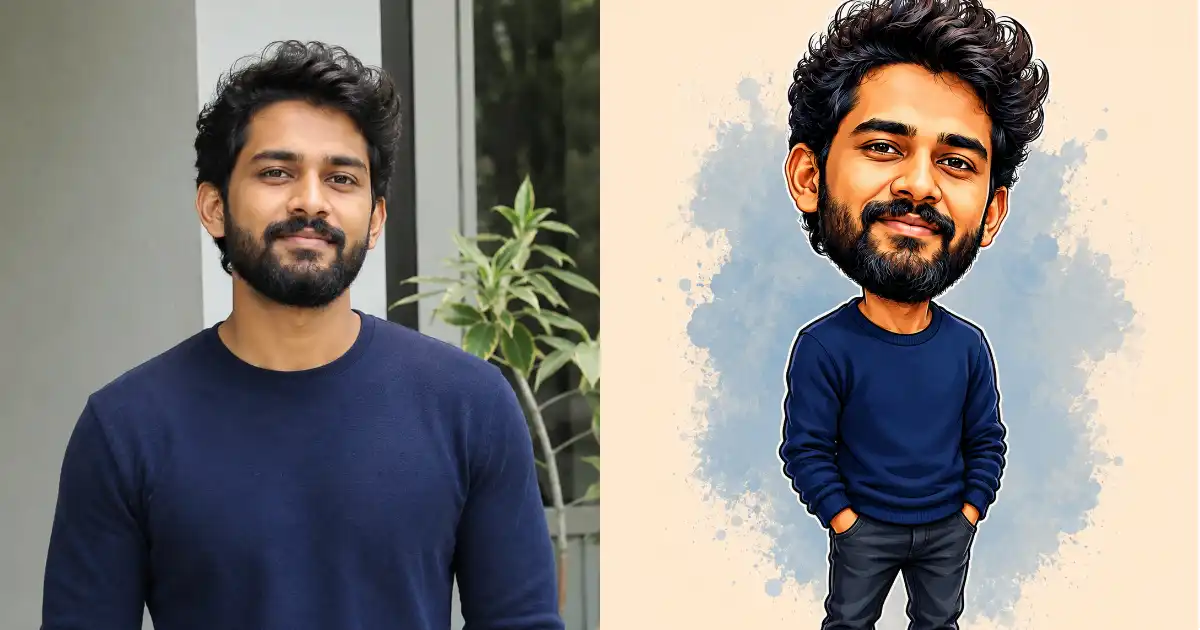
I love a good caricature. There’s something about seeing a real person turned into a cartoon with a big head and an even bigger smile that just makes you laugh. The kind of drawing you’d get done at a fair or a theme park, except now you can make one yourself in about thirty seconds.
ChatGPT can do this surprisingly well if you give it the right instructions. The trick is balance. You want the cartoon to clearly look like the actual person, but with their features playfully pushed to comedy levels. Too little exaggeration and it’s just a flat cartoon. Too much and it stops looking like them at all.
So I built one master prompt that handles both. You upload a photo, paste the prompt, and ChatGPT does the rest. It works for friends, family, coworkers, your partner, even your own selfie. Below I’ll share the prompt and walk you through how to actually use it for the best results.
How to Use ChatGPT for This
First, head over to chatgpt.com or open the ChatGPT app on your phone.
Start a new chat and upload a clear photo of the person you want to caricature. A well-lit, front-facing photo works best. The face should be visible and not too blurry. Group photos can confuse it, so stick to one person per image.
Once the photo is uploaded, paste the prompt below right after it. Then send. In a few moments you’ll get a cartoon version of the person that still looks like them, just funnier.
The Master Caricature Prompt
Here’s the one prompt that does all the work. Copy it exactly and use it with any uploaded photo.
Turn this photo into a funny, hand-drawn caricature that still clearly looks like the same person. Keep their identity instantly recognizable by preserving their core features: face shape, hairstyle and hair color, skin tone, eye color, facial hair, glasses, and any signature accessories. Then exaggerate their most distinctive traits for comedic effect, slightly enlarging the head relative to a smaller cartoon body, and playfully amplifying standout features like the nose, smile, eyebrows, cheeks, jawline, or hairstyle. Keep the expression cheerful and good-natured, never unflattering or offensive. Use a clean, professional caricature illustration style with bold outlines, smooth cel-shading, bright vibrant colors, and a simple complementary background. Maintain their original clothing and overall vibe so the cartoon feels like a fun, lovable version of the real person.
I tried this prompt on different photos and see some results given below.
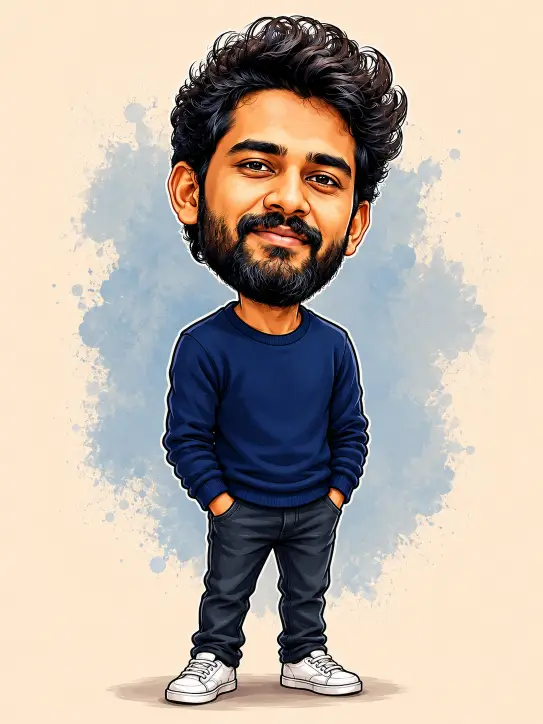
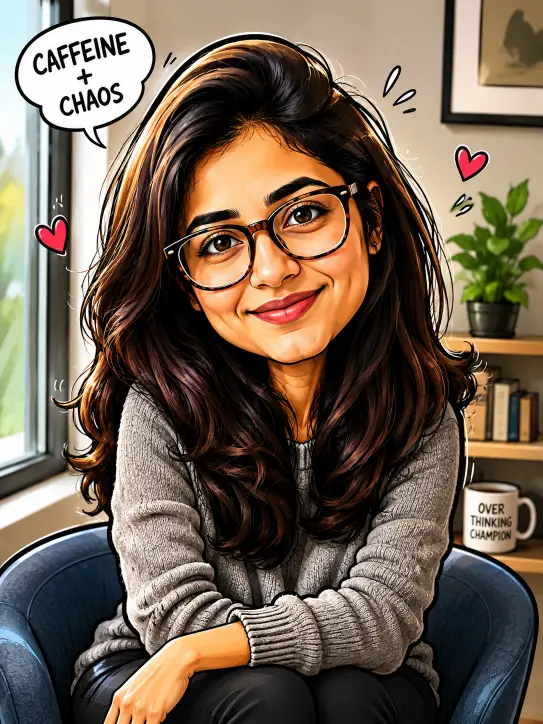
That’s the whole thing. It’s written to keep the likeness locked in while giving ChatGPT permission to have fun with the exaggeration. The part about preserving face shape, hair, and accessories is what stops the cartoon from drifting into a random character that looks nothing like your subject.
Why This Prompt Works
A lot of caricature attempts fail because people just type “make this a caricature” and hope for the best. ChatGPT then has to guess everything, and it usually picks the wrong features to push or loses the person’s face entirely.
This prompt fixes that by being specific about two separate jobs. The first job is keeping the identity. That’s why it lists the exact things to preserve, like hairstyle, skin tone, eye color, and glasses. These are the anchors that make people say “oh that’s totally him.”
The second job is the comedy. By naming the features that caricatures usually exaggerate, the nose, smile, eyebrows, cheeks, and jawline, you give ChatGPT a clear target for where to push. The bigger head on a smaller body is the classic caricature look, and calling it out directly gets you that signature shape every time.
The line about keeping it cheerful and good-natured matters too. Caricatures can easily tip into mean territory, and that’s not the goal here. You want something the person would actually be happy to receive, not offended by.
Tips to Get Even Better Results
The base prompt works great on its own, but a few small additions can take it further.
Add a style line at the end to control the art look. If you want a polished 3D feel, add “make it a Pixar-style 3D caricature.” For a classic look, try “newspaper pen-and-ink caricature style.” For something loud and fun, go with “vibrant pop-art poster style.” Each one gives the cartoon a completely different personality.
You can also drop the person into a scene for extra laughs. Try adding “place them as a superhero,” “show them riding a tiny scooter,” or “make them a chef holding a giant spoon.” The caricature still looks like the person, but now there’s a story around it that makes it even funnier.
If the face starts drifting away from the real photo, just reply in the same chat. Say something like “keep the face closer to the original photo, only exaggerate the nose and smile.” ChatGPT will pull it back and tighten the resemblance. You can fine-tune like this as many times as you need.
One more thing that helps is using a high-quality photo to start. The clearer the original, the more ChatGPT has to work with, and the closer the final cartoon will look to the real person. Soft, dark, or low-resolution photos give weaker results.
Fun Ways to Use Your Caricatures
Once you’ve got this working, it’s hard to stop. These cartoons make great profile pictures, especially for anyone who wants something playful instead of a plain headshot.
They’re also perfect for gifts. A caricature of a friend printed on a mug or a card feels personal and gets a real laugh. Same goes for birthday posts, team intros, or just sending a silly version of someone to your group chat.
If you run a small brand or page, caricatures of your team add a friendly, human touch that stock photos can’t match. People connect with faces, even cartoon ones.
That’s really all there is to it. One photo, one prompt, and you’ve got a funny caricature that actually looks like the person. Save this prompt somewhere handy, because once your friends see the first one, they’re all going to want their own.