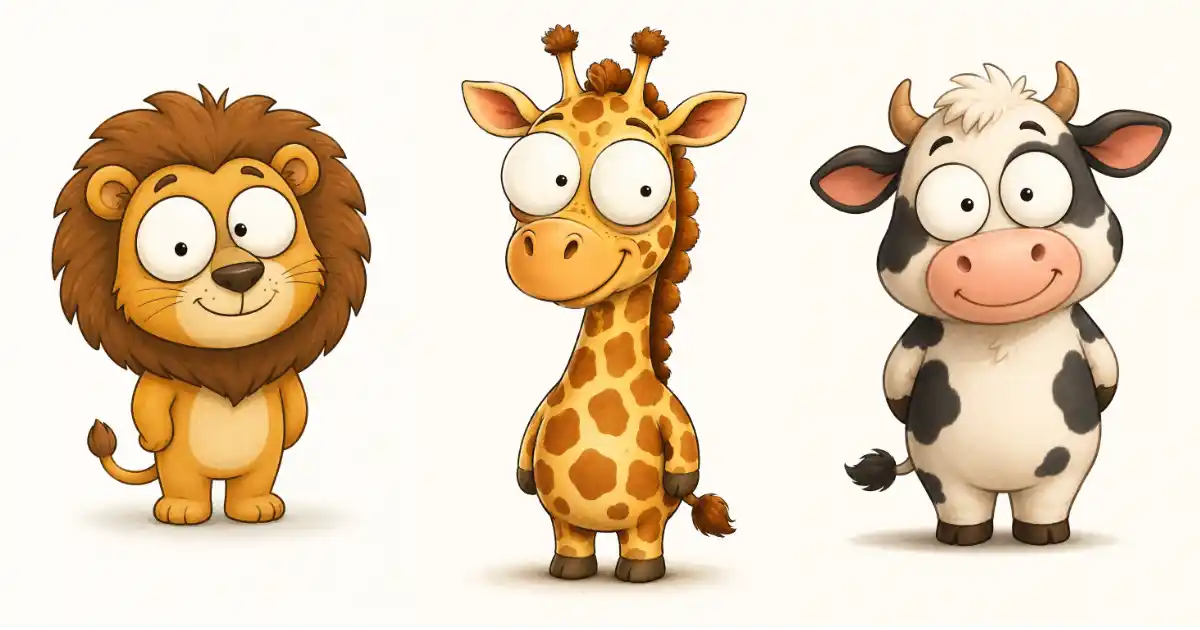
I recently came across a set of cartoon safari animals online and fell in love with the style. Chubby little bodies, huge googly eyes, soft shading, all standing on a plain background like tiny stickers.
Naturally, I tried to recreate it with ChatGPT. And I failed. Twice.
My first attempt gave me a polished kawaii lion with giant glossy anime eyes. Cute, but completely the wrong style. My second attempt swung too far the other way and produced a scratchy ink sketch that looked like it hadn’t slept in a week.
After a few more rounds of tweaking, I finally landed on a prompt that gets the style right almost every single time. In this post, I’m sharing that exact prompt, why each part of it matters, and how to reuse it for any animal you want.
The Prompt
Here it is. Just replace [animal] with whatever animal you want to create.
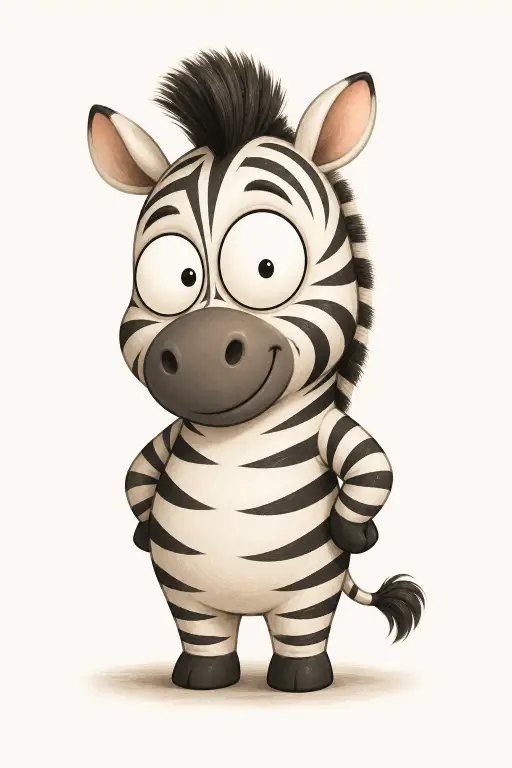
Create a cute funny cartoon [animal] standing upright, small chubby compact body with short stubby legs, oversized round white googly eyes with small black dot pupils, gentle amused smile, clean thin outlines, soft smooth digital shading with subtle gradients, warm muted colors, plain light off-white background with a soft shadow under the feet, friendly children’s illustration style like a modern picture book character. Use aspect ratio 2:3.
Paste it into ChatGPT, swap in your animal, and generate. That’s it. The same prompt also works in Google Gemini without any changes.
Following are some animals I tried.
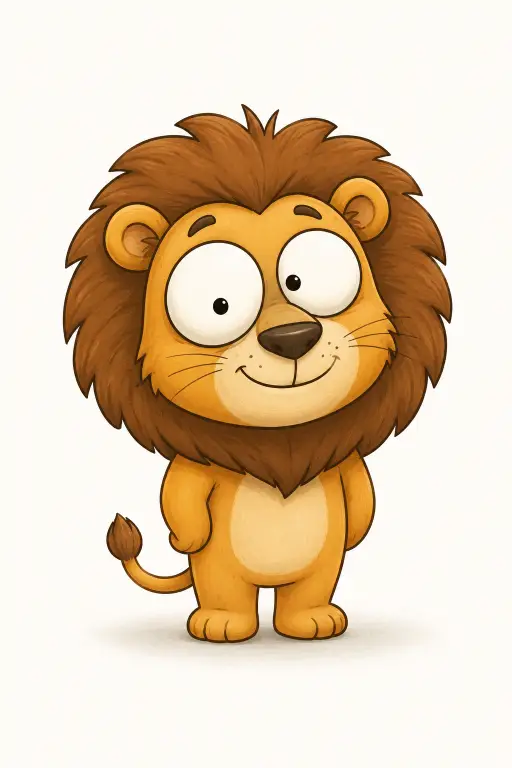
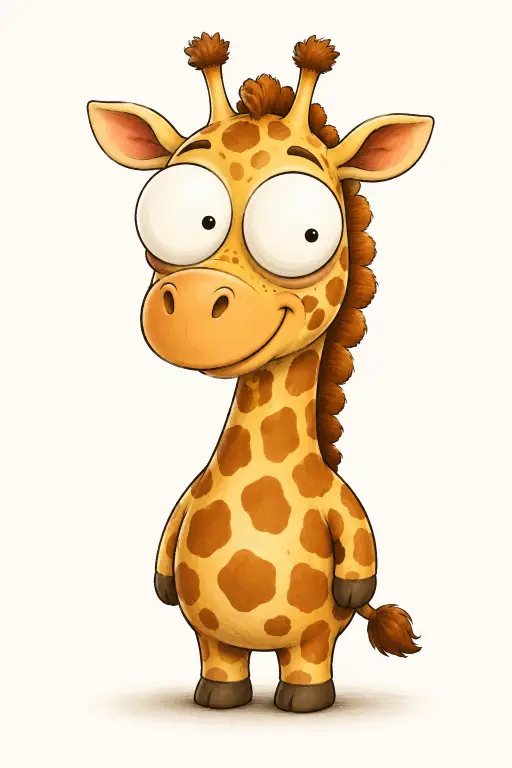
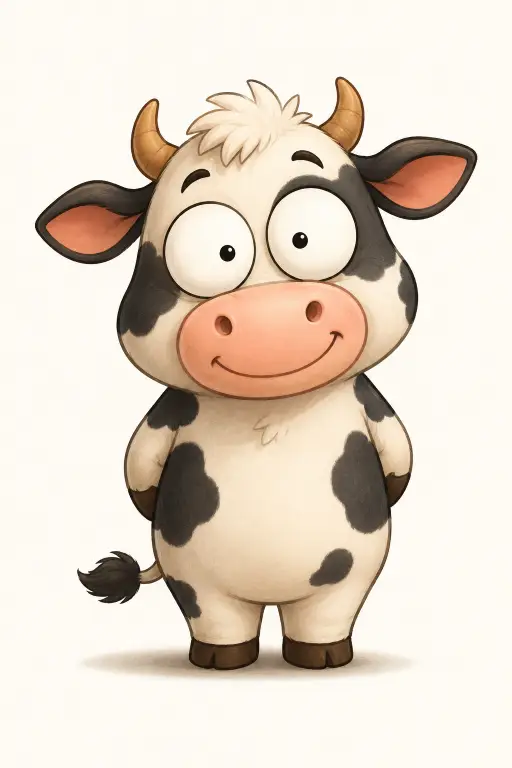
Why This Prompt Works
I want to break down the prompt a bit, because understanding it is what lets you adapt it confidently. There are three parts doing all the heavy lifting.
First, the body shape. The phrase “small chubby compact body with short stubby legs” is what keeps the character looking like a friendly sticker. Without it, ChatGPT tends to give animals realistic proportions, and realistic proportions kill the cuteness instantly.
Second, the eyes. This was the hardest part to get right. If you just say “big eyes,” you get glossy anime eyes with sparkles and reflections. The exact phrase “oversized round white googly eyes with small black dot pupils” forces the flat, simple, slightly silly eyes that define this style.
Third, the finish. “Clean thin outlines, soft smooth digital shading with subtle gradients” tells the model to render it like a modern picture book illustration. Skip this and you’ll get either thick vector outlines or messy sketch lines, depending on the model’s mood that day.
The rest of the prompt handles the environment. The off-white background and the soft shadow under the feet make the character sit nicely on the page, which matters a lot if you plan to use these images for anything beyond a single generation.
What I Learned From My Failed Attempts
My two failures taught me something useful about how ChatGPT interprets style requests.
When you ask for “cute cartoon animals” without details, the model defaults to kawaii. It’s the most common cute animal style on the internet, so that’s where it goes. If your results keep coming out too polished and anime-looking, add “not kawaii, not chibi” at the very end of the prompt. That one line fixes most of the style drift.
On the flip side, if you push too hard with words like “hand-drawn,” “sketchy,” or “ink and watercolor,” the model overcorrects into rough, wobbly artwork. Charming in theory, slightly creepy in practice. The sweet spot is clean digital rendering with soft shading, which is exactly what this prompt asks for.
The lesson is simple. Be specific about the body, the eyes, and the finish, and the model has nowhere to wander.
How to Build a Matching Set
The real fun starts when you create a whole collection of animals in the same style. A lion, an elephant, a giraffe, a zebra, a penguin, all matching like they came from the same illustrator.
The trick is consistency in wording. Keep every single word of the prompt identical between generations and only change the animal name and its signature feature. If you rewrite the prompt from scratch each time, the style will drift between images and your set won’t look cohesive.
I’d also suggest generating one animal at a time instead of asking for a grid of nine animals in one image. Single characters come out cleaner, and you get full-resolution images you can actually use.
If you’re working in Gemini, you can go one step further and upload one of your finished animals as a reference image, then ask for the next animal in the same style. That locks the look in even tighter.
What You Can Do With These Images
I didn’t make these just to stare at them. Characters in this style have a surprising number of practical uses.
They work beautifully as nursery and kids’ room prints, especially as a themed set of safari animals. They also make great stickers, birthday card artwork, flashcards for toddlers, and playful profile pictures.
If you run a blog or a small shop, a consistent character set like this can become part of your visual identity. And since the prompt uses a 2:3 aspect ratio, the images are naturally tall, which happens to be the ideal shape for Pinterest pins.
It took me three attempts and a lot of squinting at reference images to land on this prompt, but now it’s one of my most reliable ones. The formula is simple: chubby compact body, flat googly eyes, clean thin outlines, soft shading, plain background.
Copy the prompt, swap in your favorite animal, and see what you get. If the first result isn’t quite right, don’t rewrite the whole thing. Change one phrase at a time and generate again. That’s how you figure out which words are actually steering the style.
If you create a fun set of animals with this prompt, I’d genuinely love to see them.