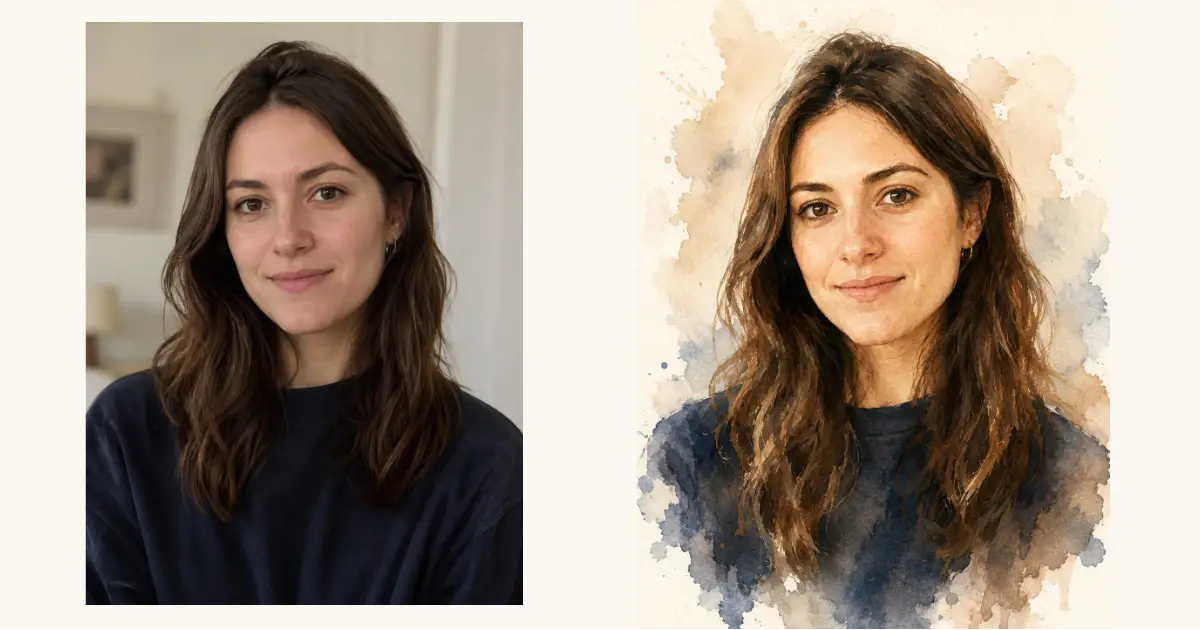
I came across a watercolor portrait the other day that stopped me mid-scroll. Soft brush strokes, gentle color bleeds, a calm expression painted in muted blues and warm beige tones. It looked like something you would pay an artist good money for. Then I realized I could make the same thing from a regular photo using ChatGPT.
The best part is that it only takes one prompt. You upload any photo, paste the prompt, and ChatGPT paints it into a hand-illustrated watercolor piece while keeping the face and expression recognizable. It works for portraits, family photos, couple shots, pet pictures, almost anything.
I have been testing it on different photos for the past week, and the results are consistently beautiful. Below is the exact prompt I use, plus a few ways to tweak it so you can get different looks from the same starting point.
How to Use This in ChatGPT
Open ChatGPT and start a new chat. Make sure you are using a model that supports image generation. Upload the photo you want to transform, then paste the prompt right below it.
If the result feels too sharp or too detailed, just reply with “make it softer and more loose” and it will adjust. ChatGPT is good at refining once it has the first version on screen.
The Main Watercolor Portrait Prompt
This is the one prompt the whole post is built around. It keeps the person looking like themselves while turning the photo into a painterly, gallery-style illustration. Copy it exactly and pair it with your uploaded photo.
Create a watercolor portrait from this photo. Transform the person into a soft, hand-painted watercolor illustration while keeping their facial features, expression, and likeness fully recognizable. The style should be loose and artistic with visible brush strokes, gentle color bleeds, and soft layered washes. Use a muted, warm palette built around subtle blue-grey shadows and earthy beige tones. Keep the background light and minimal, like an off-white textured watercolor paper, with a few abstract paint splashes around the subject. Add delicate fine-line detailing on the face and hair to keep the features defined. The lighting should feel natural and soft, with the edges of the figure fading gently into the paper. The composition is a head-and-shoulders portrait with a calm, elegant, and timeless mood. Make it look like a high-detail, gallery-quality watercolor painting.
Following are some examples I tried.
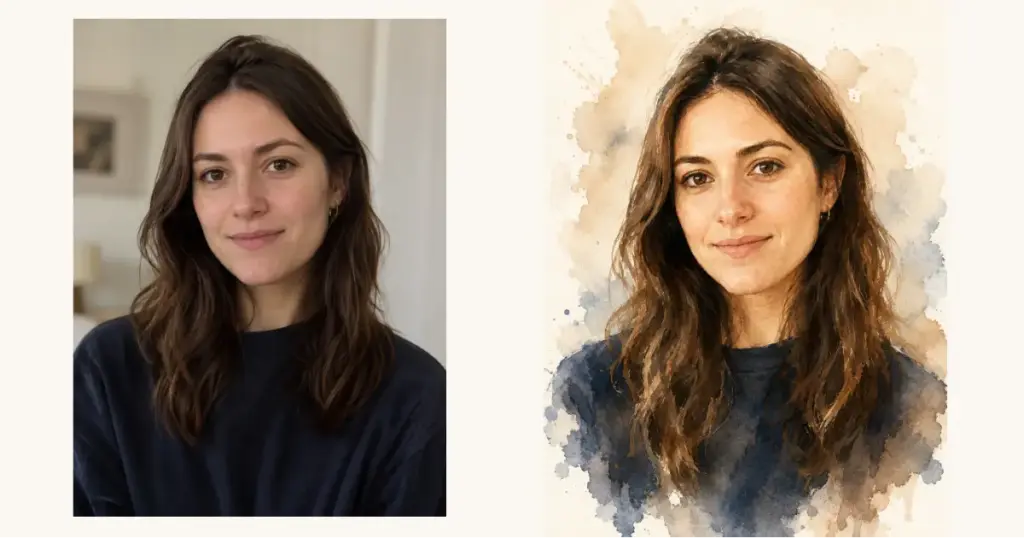
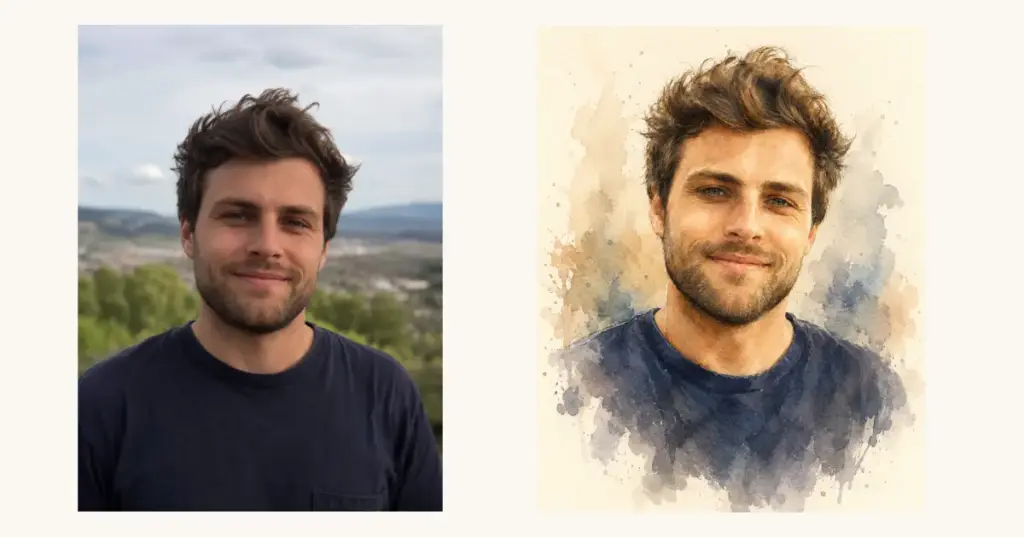
That is the core. Everything below is optional, just different flavors of the same idea.
Why This Prompt Works So Well
A lot of watercolor prompts fail because they either lose the person’s face or turn the whole thing into a blurry mess. This one avoids both by asking for two things at once: loose watercolor washes for the mood, and fine-line detailing for the features.
The muted blue-grey and beige palette is doing a lot of heavy lifting too. It gives every image that soft, expensive, art-print feeling instead of looking like a cartoon filter. The instruction to fade the edges into the paper is what makes it read as a real painting rather than a cropped photo with a texture slapped on top.
Add a Caption to Your Portrait
If you want to turn the portrait into a greeting card or a gift, you can add hand-lettered text. Just attach this line to the end of the main prompt before you send it.
Add hand-lettered cursive text at the bottom of the painting that says “Happy Father’s Day” in an elegant, flowing script that matches the soft watercolor style.
Swap the words for anything you like. “Happy Birthday,” “With Love,” a name, a date, whatever fits the occasion. This is how you get those framed, personal pieces people actually keep.
Change the Color Mood
The default palette is warm and neutral, but you can shift the entire feeling of the painting by changing the dominant colors. Add this line to the main prompt to take it in a different direction.
Use a soft sage green and cream dominant palette instead, keeping the same loose watercolor style and gentle washes.
Try rose and blush for something romantic, deep navy and gold for a dramatic look, or dusty lavender for a dreamy feel. The structure of the prompt stays the same, you are just steering the color story.
Use It for Couples and Family Photos
The same prompt handles more than one person without any trouble. If you are uploading a couple photo, a family picture, or even a parent holding a child, just add a short line so ChatGPT keeps everyone in frame.
Keep all people from the photo in the painting, preserving each of their faces and expressions, arranged naturally in a head-and-shoulders composition with the same soft watercolor treatment.
I have used this on wedding photos and old family pictures, and it turns them into something that feels like a keepsake rather than a snapshot.
A Few Things That Help the Result
Start with a clear, well-lit photo. Watercolor styling looks best when the original face is easy to read, so avoid heavy shadows or blurry source images.
Front-facing or three-quarter angle photos work better than extreme side profiles. The painting needs enough of the face to capture the likeness.
If the first version looks too stiff, ask ChatGPT to loosen the brush strokes. If it looks too messy, ask it to tighten the facial detail. One or two rounds of back and forth usually lands it.
This single prompt has quietly become one of my favorite things to make. It costs nothing, takes about a minute, and the output genuinely looks like art you would hang on a wall or give as a gift.
Save the main prompt somewhere handy, because once you start turning your own photos into watercolor portraits, it is hard to stop. Try it on a photo you love and see what comes out.